If you are planning a trip to China and your main concern is “How do I pay in China?”, the short answer is: by using Alipay or WeChat. These two apps account for 95% of mobile payments in China. Beyond processing payments, they offer extra built-in features like DiDi (China’s Uber), built-in translators, attraction ticket bookings, and public transit passes—all of which we cover in our guide to essential apps for traveling in China (In Spanish).
Today, China is a virtually cash-free society where you will pay for everything with your phone, from upscale restaurants serving Peking duck to street vendors in Yangshuo selling fried crickets. Forget about cash and currency exchange offices! Cash is almost extinct, and physical credit card payments are rarely accepted. During our 18-day trip through China, we only used cash twice: first to play arcade games in Zhangjiajie, and second to spend our remaining physical notes before heading home.
Alipay is the most widely used payment platform in China, holding around 55% of the mobile payment market. Luckily, international travelers can now link foreign cards directly to the app. While local residents with Chinese bank accounts can use it as a digital wallet, this specific digital wallet balance feature is not available for international tourists—your linked card is charged directly instead.
China’s official currency is the Yuan (¥), abbreviated as CNY or RMB. The exchange rate fluctuates around $1 USD ≈ 6,75 CNY. Our quick calculation shortcut during the trip was to remember that 50 RMB is roughly $7,5 USD and 100 RMB is about $15 USD.
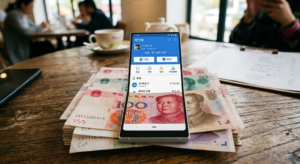
⚠️ Pro Tip: Due to regulations in China, payments under 200 RMB (~$28 USD) carry zero transaction fees from Alipay. However, for any payment over 200 RMB, Alipay applies a 3% transaction fee.
If you’re traveling in a group, try splitting the bill so each individual payment stays under 200 RMB. Alternatively, you can ask the merchant to split the charge into multiple transactions of less than 200 RMB each. Many places had no problem doing this for us, saving us a nice chunk of money throughout the trip (for instance, paying 300 CNY in two separate 150 CNY transactions instead of a single 309 CNY charge with fees).
In this step-by-step guide, we’ll explain how to set up Alipay from home, verify your account, and pay like a local in China. We strongly recommend completing this entire process a few weeks before leaving—don’t leave it until the last minute! Plus, by using the 200 RMB splitting strategy mentioned earlier, you’ll save extra cash throughout your trip.
Step-by-Step: How to Set Up Alipay Before Your Trip
Step 0 is to get a fee-free travel card such as Revolut, Wise, or N26. In fact, we recommend linking at least two different cards to your account just in case one faces unexpected issues (luckily, we didn’t run into any problems with ours).
Step 1: Download the App and Register
Search for Alipay in the App Store or Google Play Store. Make sure to download the standard main app (the blue icon featuring the Chinese character ‘支’). Register using your mobile phone number with your country’s international area code, and make sure to accept all requested permissions—denying them will likely cause issues later on. You will receive an SMS verification code to complete your registration.
The app will also prompt you for location access. This is crucial, as several built-in features—such as DiDi rideshares or local metro travel cards—depend on your location. Granting access ensures the app configures automatically so you don’t have to manually select your city at the top of the interface later on.
Step 2: Switch to the International Version
When you open the app for the first time, Alipay will detect your non-Chinese phone number and ask if you want to switch to the International Version. Select yes!
This is essential for two main reasons: the entire interface switches to English, and the home screen is significantly streamlined by removing unnecessary features designed only for mainland residents.
Troubleshooting Tip: If you don’t receive the SMS verification code during registration, double-check that you selected the correct international dialing country code (e.g., +1 for the US/Canada, +44 for the UK, or +34 for Spain).
Step 3: Verify Your Identity (The Crucial Step)
Go to the Account tab (sometimes labeled Me) > Settings (the gear icon) > Identity Information. Note: Alipay occasionally updates its layout, but you can always find this under your user profile settings.
Fill in your personal details exactly as they appear on your passport and upload a clear photo of your passport page. This step is non-negotiable—if you skip identity verification, you will not be able to process any payments in China.
💡China takes digital security very seriously (as you’ll quickly realize when you see cameras on virtually every street corner). Account verification usually takes anywhere from a few hours to two business days. In our case, the approval went through seamlessly without any issues.
Once your identity verification is complete, you’re almost good to go!
Step 4: Link Your International Cards (We Recommend Linking at Least Two)
Navigate to Account (or Me) and tap on Bank Cards, then select Add Card. We strongly recommend adding travel-friendly cards like Revolut or N26, as they offer excellent exchange rates and eliminate the hefty international fees charged by traditional banks. You can add multiple cards to serve as backups.
Don’t panic if you immediately receive a notification from your bank showing a micro-charge of around $0.01 or a few cents. This is a temporary pre-authorization hold generated by Alipay to verify that your card is active, and it will be refunded within a few minutes.
💡Traveler Tip: Alipay allows you to link multiple cards (Visa, Mastercard, etc.). It’s best practice to link cards from two different issuing banks just in case one gets temporarily flagged or rejected by your home institution while traveling.
Don’t Forget Your Internet! (eSIM + VPN for China)
Having Alipay perfectly set up won’t do you any good if you don’t have an internet connection when you land at the airport in Beijing, Shanghai, or wherever you start your trip (except Hong Kong, where Alipay doesn’t seem to work). Also, remember that the Chinese government’s “Great Firewall” blocks Google, WhatsApp, Instagram, and many other Western apps.
For Alipay to work from second one, so you can keep updating your family on WhatsApp that you’ve arrived safely, and post your best photos to make your friends jealous, you need to travel with an eSIM that includes a built-in VPN (Or a local SIM and a previously installed VPN, harder to configure).
We used the Holafly eSIM for China (Get your eSIM for China with a 5% discount) and it worked great for us, as it uses an internal VPN and you don’t need to configure anything on your phone, making it completely seamless for the user.
How to Pay with Alipay in China
Alright, you’ve installed and set up Alipay—now what? Once you’re in China, you’ll quickly discover that paying for things is effortless. The entire system relies on QR codes, and depending on the merchant, payments are handled in one of two ways. Every time you process a payment, the app will clearly show which linked card is being charged, giving you the option to switch to a backup card if needed.
💡Important Note for International Travelers: Alipay does not act as a digital wallet for non-residents. You cannot load or top up a balance within the app unless you hold a local mainland Chinese bank account. Instead, Alipay functions as a secure payment gateway that charges your linked foreign card directly for every transaction.
1. You Scan the Merchant’s QR Code (“Scan” Button)
The vendor will display a QR code at the counter, on your table, or show it on their own device. This is the most common payment method for taxis, street markets, and small restaurants. Simply say “Alipay” or point to the blue Alipay logo in the shop.
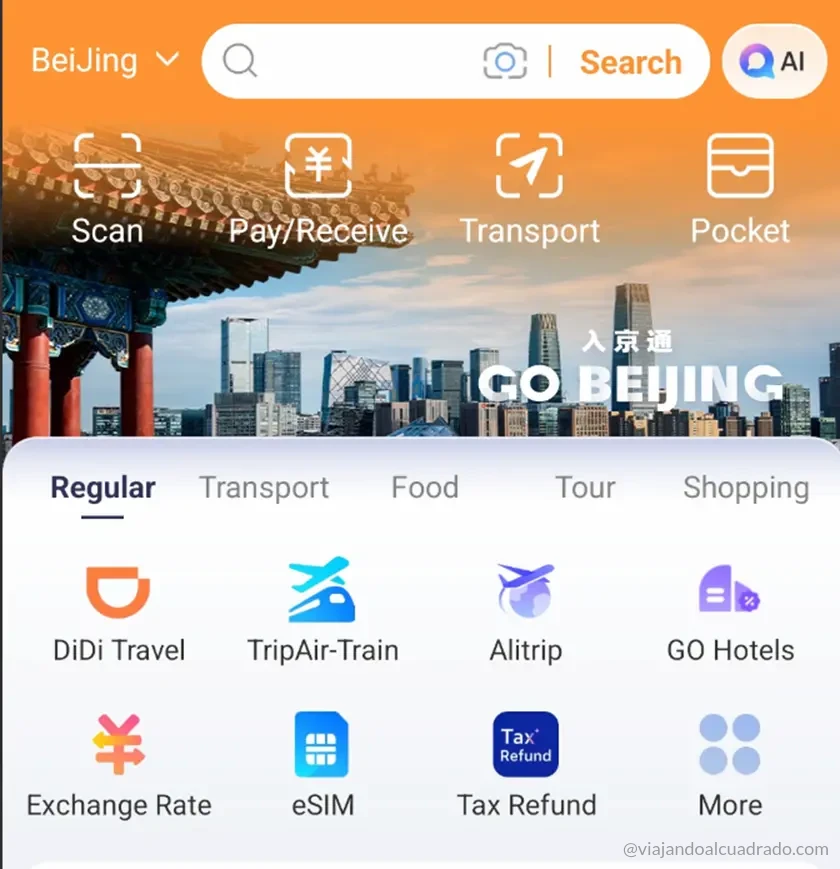
To make the payment, open Alipay, tap Scan, and point your camera at the QR code. Enter the exact amount in Yuan specified by the vendor, authenticate with your passcode (or Touch ID / Face ID), and you’re done!
More often than not, as soon as the transaction goes through, a automated voice prompt will broadcast loudly from the merchant’s phone confirming the received payment. Just say “Xièxie” (thank you) and you’re good to go!
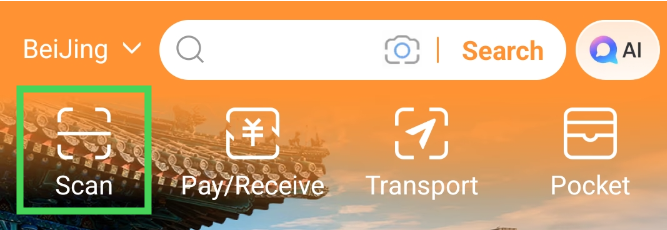
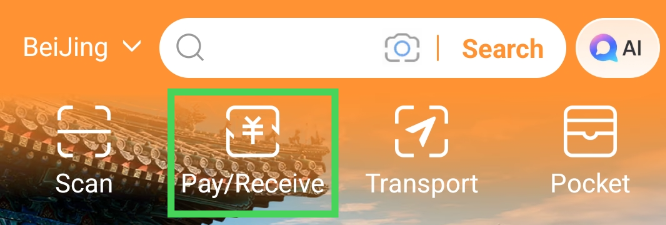
2. The Merchant Scans Your QR Code (“Pay/Receive” Button)
In this case, the seller scans the code generated on your phone. This method is standard in convenience stores, supermarkets, fast-food chains, attraction ticket booths, and major retail outlets.
Instead of tapping “Scan”, tap the Pay/Receive button at the top of the home screen. The app will immediately generate a unique QR code and barcode linked to your profile. Show this screen to the cashier, who will scan it with their reader—the exact charge will be processed automatically without you needing to enter the amount manually.
⚠️ Reminder: Due to regulations in China, payments under 200 RMB (~$28 USD) carry zero transaction fees from Alipay. However, for any payment over 200 RMB, Alipay applies a 3% transaction fee.
Alipay FAQs & Troubleshooting Guide
Why are city names and features showing up in Chinese even though my app is set to [Language different than English]?
- If this happens on your first payment attempt, your identity verification was likely not completed properly. Upload a clear photo of your main passport page under Account > Identity Verification before your trip to avoid getting stranded. Note that Alipay may also trigger a security passport check for exceptionally high transactions, though we personally never faced this issue even when processing payments around 500 CNY.
Why is Alipay asking for passport verification when I try to pay?
- Based on our experience, Alipay operates far more smoothly when the language is set to English. In English, city names, payment interfaces, and transport hubs display accurately without broken characters. The terms used are extremely simple and intuitive (Pay, Receive, Transport, Bus). You can change the language by going to Account > Gear Icon (Settings) > General > Language.
Can I pay for metro and bus rides in China using Alipay?
- Yes! Tap the Transport icon on the home screen and select your current city (or let the app detect it via GPS) from the top-left menu (e.g., Shanghai, Beijing, Hangzhou). Alipay will generate a specific transit QR code that you scan directly at the subway turnstiles or bus readers. If you run into an error stating your identity is unverified, make sure your passport verification is fully approved.
Why does my international card fail or show an error when scanning a QR code?
- Your issuing bank’s fraud detection system may be flagging the payment as suspicious. Notify your traditional bank about your upcoming travel to China to prevent automatic blocks, or use travel-friendly digital cards like Revolut or N26 that handle international transactions smoothly.
Are there daily limits or fees when using foreign cards on Alipay?
- The standard single-transaction limit for verified foreign cardholders is 3,000 RMB (~$415 USD). Individual payments under 200 RMB carry 0% fees from Alipay. For payments exceeding 200 RMB, Alipay charges a 3% transaction fee. You can bypass this fee by asking the merchant to split your purchase into separate transactions of under 200 RMB each.
What should I do if I don’t receive the SMS verification code during sign-up?
- Double-check that you selected the correct country code (+1 for US/Canada, +44 for UK, +34 for Spain) and entered your number without spaces. If the SMS still doesn’t arrive, try using the option to receive the verification code via an automated voice call directly within the app.