You’re planning your trip and thinking about downloading offline Google Maps, paying with your digital wallet, sending a WhatsApp when you land, and posting a photo to Instagram—but forget all of that! None of it will work in China. Because of the Chinese government’s “Great Firewall,” the everyday apps you rely on (Google Maps, WhatsApp, Instagram, Google Translate online…) are completely blocked.
Fortunately, you can still use them seamlessly if your phone has an active internet connection and a VPN to bypass Chinese government censorship.
You have two main options here: The easy way—avoiding any hassle by using a Holafly eSIM (With a 5% discount just for being our reader) that comes with a built-in VPN to bypass the Firewall (a bit pricier, but effortless)—or using a standalone VPN paired with a local SIM card or an Airalo eSIM (you’ll save a little money, but in our opinion, it’s not worth the hassle in China). We cover this in full detail in this article.
Traveling independently through China without a properly set up smartphone is an almost impossible task. However, downloading these essential apps before leaving home will turn navigating Beijing, Shanghai, or Zhangjiajie into a much smoother adventure.
During our journey across China, this was our non-negotiable Survival Kit you must install before you fly:
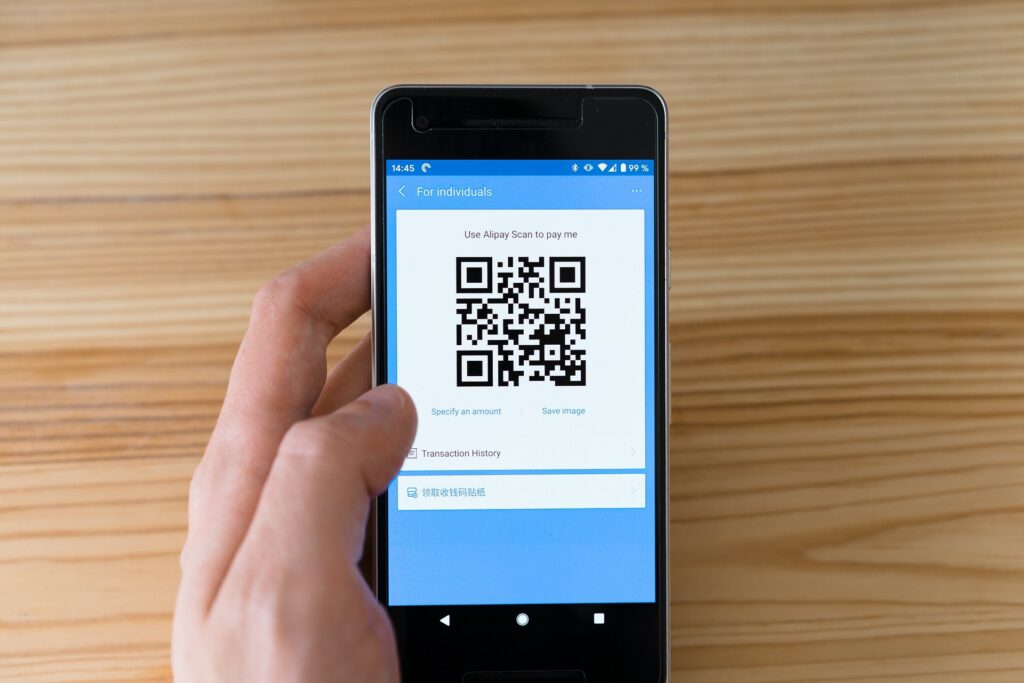
1. AliPay: Payments, Taxis, Translation…
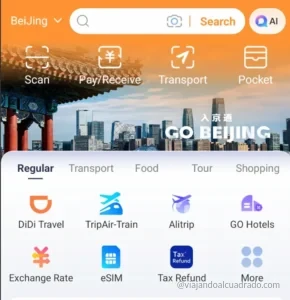
This app is absolutely vital in China—so important that we dedicated an entire article to it. With AliPay, you can pay at almost any business, hail a ride with DiDi (more on that below), communicate with locals using the built-in translator, or scan your ticket at metro stations. It was easily our most used app in China and an absolute non-negotiable for your trip.

⚠️ Pro-Traveler Tip ⚠️: Under Chinese financial regulations, transactions under 200 yuan (around $28 USD) incur no service fees from AliPay. However, any single payment exceeding 200 yuan triggers a 3% fee.
The workaround is to split payments whenever possible. If you’re traveling with companions, pay separately, or simply ask the merchant to split your bill into multiple transactions under 200 yuan. Several places did this for us without hesitation, saving us a nice chunk of change over time (for instance, paying 300 CNY split into two transactions instead of a single 309 CNY charge).
2. WeChat: Messaging, Identity & Local Bookings
If AliPay is your digital wallet, WeChat is your personal ID—it’s another absolute non-negotiable for traveling in China. Much like AliPay, it handles mobile payments, but its primary job is communication. It acts as the local “WhatsApp” for contacting your hotel, messaging local drivers, or chatting with anyone you meet along the way.
It also comes packed with its own ecosystem of Mini-Programs. Through WeChat, you can book entrance tickets for top attractions like the Forbidden City, request visitor access for Tiananmen Square, buy metro passes, or reserve tickets for the Great Wall of China.

⚠️ Pro-Traveler Tip ⚠️: Just like AliPay, WeChat takes security extremely seriously. When registering from abroad, the app often requires an existing WeChat user to verify your account by scanning a QR code on your screen.
Don’t panic if you get stuck during setup—the staff at our very first hotel in China kindly helped us complete the verification in seconds. Locals are very used to this, so almost anyone (even a store vendor when you try to pay) will be happy to assist you. However, if you prefer having everything ready before landing, you can also look for online WeChat support communities to get your code scanned in advance.
3. AMap (Gaode Maps) & Maps.me (+Apple Maps): Your “Google Maps” Alternatives That Actually Work in China
If you open Google Maps in China (even with a active VPN to bypass restrictions), you’ll quickly notice that the maps are outdated, streets are offset from their actual GPS locations, and local business information is practically nonexistent.
Fortunately, we have a few key apps that will make getting around China a breeze:
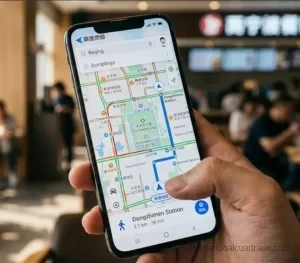
- AMap (Gaode Maps): The ultimate interactive map for China. It’s incredibly helpful for figuring out which bus to take, which metro exit to leave from, or finding that hidden coffee shop. By the way, if you catch a taxi driver or a local using it, you’ll see how impressive it is—in our opinion, it’s far more visual and sleek than Google Maps.
- The interface is quite intuitive, and the transport icons (bus, train, walking) are so universal that navigating is a piece of cake. It can recognize some place names in English, but if an address doesn’t show up, simply search for its Chinese name on Google and paste it into the app.
- Maps.me: Another solid choice for navigating cities offline. It worked really well for us and offered great public transit directions.
- Apple Maps: Works seamlessly in China, but unlike the other two options, it’s exclusive to iPhone users.
4. Google Translate (Offline Version) or Microsoft Translator
The language barrier in China is very real. Even at hotels in major cities, standard travel English won’t get you very far, as 99% of the population doesn’t speak a single word of English. Fortunately, in-app chats on WeChat and Trip.com offer automatic translation, which is a lifesaver when messaging hotel staff.
For daily communication, a translation app will be your best friend for asking about prices, requesting no spicy food (crucial!), or reading signboards. Whenever a local wants to talk to you, they’ll kindly hold out their phone or gesture for you to open your translation app—they speak into it, and the app takes care of the rest.
On one occasion, someone translated from Chinese to Russian assuming we were from Russia, so we had to cycle through different languages until we could understand each other!
⚠️ Pro-Traveler Tip ⚠️: Open the Google Translate app while you’re still at home and download the “Chinese (Simplified)” offline language pack. That way, if you ever lose cell coverage or your VPN drops, you’ll still be able to read signs and translate conversations without missing a beat.

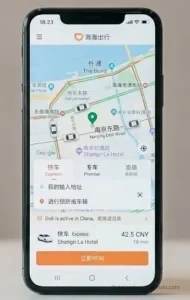
5. DiDi: The Chinese “Uber” (Also Available Inside AliPay)
Getting around by taxi in China is surprisingly cheap, but flagging one down on the street can be a real ordeal—most are booked through apps, and drivers hesitate to pick up foreign passengers due to the language barrier.
Enter DiDi, China’s premier ride-hailing app (essentially the Chinese equivalent of Uber). It lets you request a ride, locks in the exact fare upfront before you step inside, and eliminates the stress of explaining where you’re going since the route goes straight to the driver’s GPS.
While DiDi has a standalone app, there’s no need to clutter your phone with it—it’s built directly into AliPay. We used it exclusively through the AliPay app without a hitch, and all fares are charged automatically to whichever credit card you linked to AliPay. It’s that simple!